We Value Your Time, So We Built Free Online Tools That Give Every Minute Back
Think about the last time you needed a quick online tool. You searched for it, clicked a result, waited for an ad-heavy page to load, dismissed a cookie banner, used the tool, and moved on. Thirty seconds, maybe a minute. Now multiply that by every small task you do in a week — formatting some text, compressing an image, generating a password, converting a file, counting words, building a QR code — and a hidden cost starts to take shape, one almost nobody adds up: the time you lose just getting to the tool.
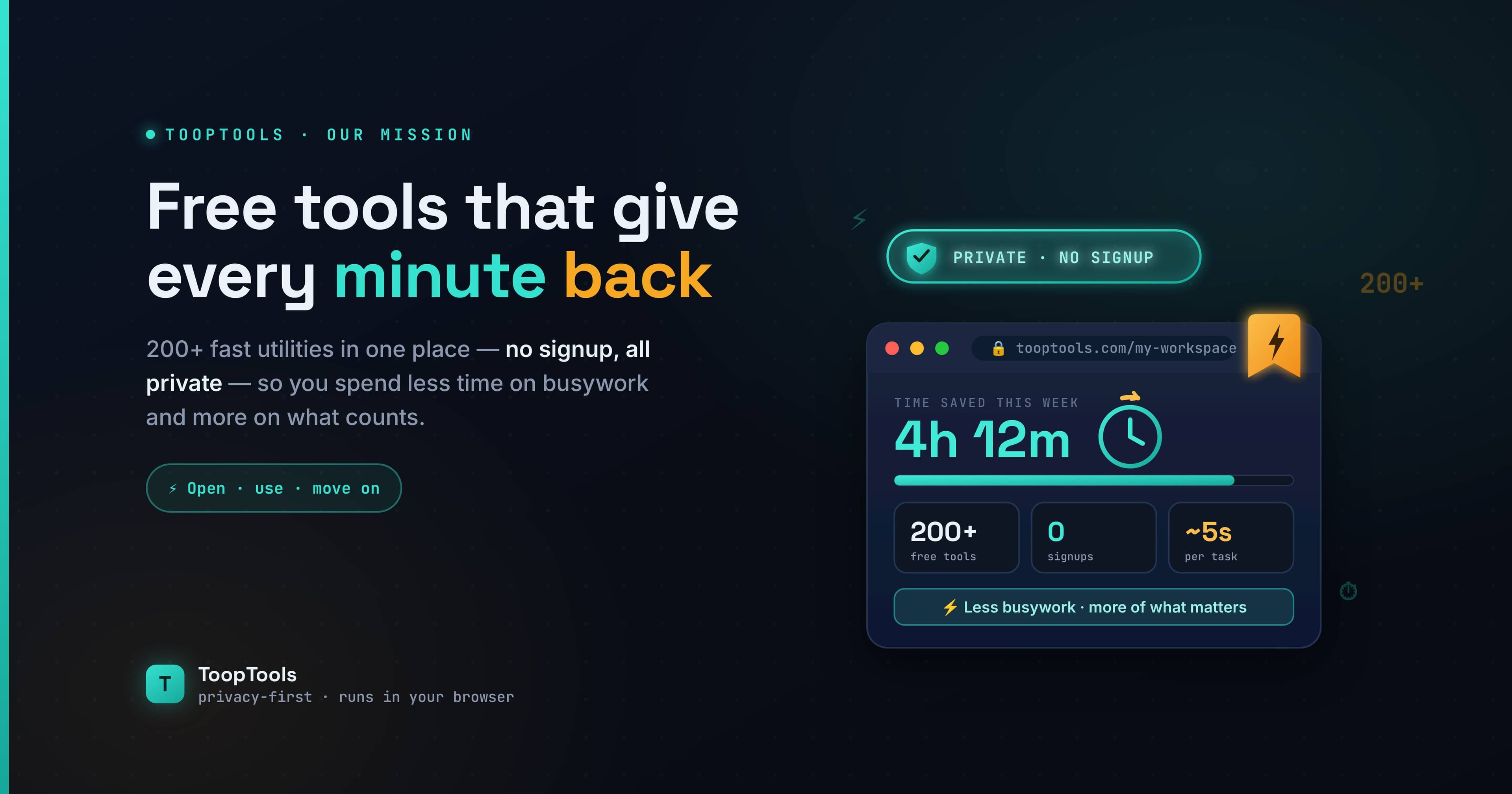
That cost is the reason this site exists. We value your time, and we know that every moment you spend wrestling with slow, scattered, data-hungry tools is a moment taken away from the work — and the life — that actually matters to you. So we built something different: more than 200 free online utility tools in one fast, private place, designed so the friction around your tasks simply disappears.
This guide is a deep look at that idea. We'll cover where your time really goes, what free online utility tools are and how they work, how to tell a good tools website from a bad one, the full range of tasks you can handle in one place, why your data never needs to leave your device, and how to build a workflow that gives you back hours every week. It's long, because the subject deserves it — but every section earns its place.
Key takeaways
- Free online utility tools are small, single-purpose web apps that handle everyday tasks — formatting, converting, generating, calculating — without installing software.
- The biggest hidden time cost isn't the tasks themselves; it's the searching, loading, uploading, and re-learning around them.
- Client-side tools (which run in your browser) are both faster and more private than server-based tools, because your data never leaves your device.
- A personalized workspace — where you pin the tools you use most — removes the friction of finding and switching between tools.
- You can verify any tool's privacy yourself in about ten seconds using your browser's Network tab.
- The best free online tools website is fast, private, broad, consistent, and free of friction — and lets you make it your own.
Where does your time actually go?
The work itself is usually quick. It's everything around the work that's slow. When you rely on scattered, single-purpose tool sites, every small task carries a tax made up of several small delays.
Re-searching every single time. You rarely remember the exact URL, so you open a search engine, type the task, scan a page of results, judge which site looks least sketchy, and click. That's one to two minutes of overhead before you've done anything — repeated dozens of times a week.
Waiting for slow, cluttered pages. Many free tool sites monetize aggressively, so the page arrives heavy with ads, trackers, and scripts. You wait for it to render, close a cookie banner, maybe dismiss a newsletter pop-up, and only then can you start.
Waiting for uploads and processing. Tools that work on a server make you upload your file, wait in a processing queue, and download the result. For a large image or PDF that round-trip can take real time — time a browser-based tool never spends, because the work happens locally.
Re-learning an unfamiliar layout. Every site has its own design, its own button placement, its own quirks. Each visit costs you a moment of orientation: where do I paste, which button do I press, why is the option I need hidden behind a menu?
Hitting friction walls. "Sign up to download." "Create a free account to continue." "You've reached your daily limit." "Upgrade to remove the watermark." Each of these turns a thirty-second job into a detour, and some of them stop you cold.
Individually, none of this feels like much. Collectively, it's death by a thousand small delays — and it adds up to hours every week that you never consciously chose to spend.
What are free online utility tools, exactly?
Free online utility tools are small, single-purpose web applications that perform a specific everyday task directly in your web browser, with no software to install and no cost to use. Think of a word counter, a JSON formatter, an image compressor, a QR code generator, a password generator, or a PDF merger — each does one job well.
They're called "utility" tools because, like a screwdriver or a tape measure, they're practical instruments for small, recurring jobs rather than large applications you live inside. The "online" part means they run on the web, so you can reach them from any device without downloading anything. And "free" means exactly that — no purchase, and ideally no signup either.
The category spans an enormous range: text and writing helpers, developer and coding utilities, image editors, PDF and file tools, security and hashing tools, SEO and social media helpers, color and CSS generators, math and finance calculators, unit converters, and date and time utilities. What unites them is that each removes a small friction from your day — replacing a manual, fiddly, or repetitive task with a single click.
How do online tools actually work? Client-side vs server-side
This is the most important technical distinction to understand, because it determines both how fast a tool is and how private your data stays. There are two fundamentally different ways an online tool can process what you give it.
Server-side tools send your data away. When you paste your text or upload a file and press the button, your browser packages that input and transmits it to the tool's server somewhere on the internet. The server does the work and sends the result back. This is a normal way to build a web app, but it has one unavoidable consequence: your raw data left your device and touched a system you don't control. Whether that server logs it, caches it, stores it, or analyzes it is entirely up to whoever runs the site.
Client-side tools keep your data with you. Here, all the processing happens inside your own browser, using code (JavaScript) that runs on your machine. Your data is never sent anywhere because it never needs to be. The result appears without a single byte of your input leaving your device.
From the outside, the two can look identical — you paste, you click, you get a result. The difference is invisible unless you go looking. But it matters enormously, as this comparison shows:
| Factor | Server-side tools | Client-side tools |
|---|---|---|
| Where your data goes | Uploaded to a remote server | Stays on your device |
| Speed | Limited by upload, queue, and download | As fast as your device, near-instant |
| Privacy | Depends on the company's policy | Data never leaves, nothing to leak |
| Works offline | No — needs the server | Often yes, once the page loads |
| Verifiable | No, you must trust the policy | Yes, via the browser's Network tab |
At ToopTools, every one of the 200+ tools is built client-side. That single architectural choice is why the tools are both fast and private — two benefits that usually feel like a trade-off but here come from the same decision.
What makes a tools website actually save you time?
Not all free online tools websites are equal. If you're judging one against another, these are the qualities that determine whether it gives you time back or quietly takes it.
Does it keep everything in one place?
A site with one tool is a tool; a site with hundreds is a toolbox. The biggest single time-saver is breadth — having text, code, design, image, PDF, security, and conversion tools together, so you stop searching for a new website every time a different task appears. You can browse the full library in one place instead of scattering your needs across a dozen tabs.
Are the tools genuinely fast?
Speed isn't a luxury; it's a consequence of architecture. Because client-side tools run in your browser with no upload, no queue, and no download, results appear almost instantly. For everyday tasks, "client-side" simply means "fast."
Is the interface consistent?
When every tool shares one well-designed interface, you learn it once and it works everywhere. Compare that to a different, ad-cluttered layout on every site you land on. Consistency is quietly one of the largest quality-of-life differences between a great tools site and a mediocre one.
Is it free of friction?
The best tools respect your time: no account, no email, no installation, no usage cap for everyday use, and no watermark forced onto your output. You open the page and you're working.
Does it offer something genuinely new?
Most tool sites are static directories you scroll through and forget. The best add something that changes how you use the tools day to day. For ToopTools, that's the workspace — but more on that shortly.
Which everyday tasks can you handle in one place?
One of the clearest ways a single tools website saves time is by covering the full spread of small jobs that come up across a normal week. Here's the range, category by category, so you can see how much never needs a separate site again.
Text and writing tools
For anyone who works with words, a word counter tracks word, character, sentence, and paragraph counts in real time — essential for hitting an essay length or a platform's character limit. A case converter switches text between UPPERCASE, lowercase, Title Case, camelCase, and more in a click, while a lorem ipsum generator produces placeholder text for mockups. Together they cover the repetitive formatting and counting that otherwise interrupts your writing.
Developer and coding tools
Developers reach for small utilities dozens of times a day. A JSON formatter beautifies and validates messy API responses; a base64 encoder and decoder converts data for headers and tokens; a UUID generator produces unique identifiers for test data; and a slug generator turns titles into clean URL paths. Having these in one place keeps you in your flow instead of bouncing between dev-tool sites.
Image tools
An image compressor shrinks file sizes while keeping photos sharp, which speeds up uploads and pages alike. Paired with cropping and watermarking utilities, the image category handles the visual prep work that sits between a raw file and a finished post — all without uploading your pictures to a server.
PDF and file tools
PDFs carry some of the most sensitive files we own, so doing the work locally matters. A PDF merger combines documents, while splitters, compressors, page managers, and converters handle the rest. Because the processing happens in your browser, confidential contracts and statements never leave your device.
Security and hashing tools
A password generator creates strong, random credentials using your browser's secure crypto, and a password strength checker shows how well a password holds up — both client-side, so your real passwords are never transmitted. Hash generators and token tools round out the category for developers and the security-conscious alike.
Color, CSS, and design tools
A color picker grabs exact HEX, RGB, and HSL values, while CSS generators for box shadows and border radii turn visual guesswork into copy-ready code. These keep designers and front-end developers from hunting down a different site for each finishing touch.
Calculators, converters, and date tools
Everyday math and conversions are a quiet time-sink when you do them by hand or hunt for a separate site. An average calculator works out means in a click, an age calculator gives an exact age between any two dates, and an area converter handles unit conversions without the mental arithmetic. Together with the broader set of math, finance, unit, and date-and-time tools, they cover the small calculations that pepper a normal day — from splitting a figure to checking a deadline.
Generators and everyday helpers
A QR code generator creates static codes that never expire — useful for print, Wi-Fi sharing, and linking. Alongside calculators, converters, and date-and-time tools, these cover the long tail of small jobs that would otherwise each send you off to a separate website.
The point of listing all of this isn't the individual tools — it's the realization that an entire week's worth of small tasks can live behind a single, familiar interface, instead of scattered across the open web.
Faster and private: why your data staying on your device matters
Speed and privacy usually feel like opposites, but here they come from the same design choice. Because every tool runs in your browser, your data is never uploaded — and that single fact delivers both the speed and the privacy.
For anyone who takes data protection seriously — and across Europe, that mindset is very much the default — this is the part that matters most. The strongest way to protect your data isn't a longer privacy policy or a promise not to misuse what you upload; it's not sending your data anywhere in the first place.
Most tools ask you to trust them. They might encrypt your data in transit, promise not to store it, and publish a reassuring policy. But all of that still depends on your data reaching their server — and once it's there, you're relying entirely on their word and their security. If they're breached, careless, or simply change their terms, your information is exposed, and you may never know.
Client-side tools remove that dependency completely. When your data is processed in your own browser and never transmitted, there is no server copy to leak, no log to hand over, and no database to breach — because your information never went anywhere. The strongest privacy isn't a stronger promise; it's removing the need to make the promise at all. A tool that cannot see your data is safer than one that merely swears it won't look.
This is data minimization by design: the tool only ever touches your information where it already lives — with you. For everyday tasks that's convenient; for anything sensitive, like a contract, a password, or a private API response, it's the difference between a real risk and no risk at all.
How can you verify a tool keeps your data private?
You don't have to take anyone's word for it — including ours. Your browser will tell you exactly what a tool does with your data, and checking takes about ten seconds:
- Open the tool's page.
- Open your browser's developer tools — press F12, or right-click and choose Inspect.
- Switch to the Network tab.
- Clear the list, then paste your data and run the tool.
Now watch. If the Network tab stays empty when you process your data, the tool is client-side — nothing was sent anywhere. If you see a request fire off carrying your input, that data just left your machine for a server.
That's the whole test, and it works on any online tool, not just ours. Make it a habit before pasting anything sensitive, and you'll quickly learn which sites genuinely protect your data and which only say they do.
Workspace vs bookmarks vs separate sites: which actually saves time?
Removing friction is the real goal, and there's a clear hierarchy in how well each approach does it.
| Approach | Finding the tool | Consistency | Privacy | Organization |
|---|---|---|---|---|
| Separate sites + search | Slow — search every time | None — different each time | Varies wildly | None |
| Browser bookmarks | Faster, but cluttered | None — links go off-site | Varies wildly | Clumsy folders |
| Personal workspace | Instant — one click | One consistent interface | Private by default | Arranged your way |
Bookmarks feel like a solution, but they scatter across folders, lose their context, and still launch you to external sites that may have changed since you saved them. A workspace only ever contains tools you deliberately chose, keeps everything inside one fast, consistent interface, and is built specifically for arranging the tools you use. Bookmarks are about finding a tool; a workspace is about using one.
How do you build a workspace that's actually yours?
This is the idea most tool sites miss, and it's what turns "a website with a lot of tools" into "my tools, the way I like them." Building one takes about thirty seconds to start:
- Find a tool you use often by browsing the library or searching.
- Use it the way you normally would — fast, with no signup.
- Pin it to your sidebar with a single click.
- Open your workspace to find every pinned tool gathered in one place.
- Arrange it so your most-used tools sit at the top and related tools are grouped together.
A developer's workspace ends up full of formatters and generators; a writer's holds a word counter and a case converter; a marketer's mixes QR codes and character counters. Same library, completely different everyday experience — and because it all lives in your browser, there's no account to create and nothing synced to a server.
A day in the life: the same tasks, minus the friction
Picture a typical afternoon. You need to format a messy JSON response, compress three images for a post, merge two PDFs, and generate a strong password for a new account.
The old way: four separate searches, four different websites, four page-loads through ads and cookie banners, two file uploads to wait on, and four slightly different interfaces to navigate. Realistically, ten to fifteen minutes of friction wrapped around a few minutes of actual work.
The workspace way: you open your workspace, where all four tools are already pinned. You format the JSON instantly, compress the images locally in seconds, merge the PDFs without uploading them anywhere, and generate the password — all in one consistent interface, with nothing sent to a server. The friction is essentially gone, and the whole thing takes a fraction of the time.
Do that every day, and the minutes you reclaim add up to real hours over a week — hours you get to spend on work that matters instead of busywork.
Why do small delays cost more than you think?
It's tempting to wave away these delays — what's thirty seconds here or there? But the cost isn't only the seconds; it's what those interruptions do to your focus.
Every time you stop to search for a tool, wait for a page, or puzzle out an unfamiliar layout, you break your concentration. Getting back into the flow of your real work takes longer than the interruption itself — a well-documented effect that turns a "quick" detour into several minutes of lost momentum. Do that a dozen times a day and you're not just losing the raw minutes; you're losing the deeper, focused state that makes good work possible.
There's also the mental clutter of remembering which site you used for what. "Where did I format that JSON last time? Which image compressor didn't have the watermark?" That low-level decision fatigue is a tax of its own. A single workspace removes it: there's one place, the tools you trust are already in it, and you never have to make that decision again.
So the real benefit of cutting friction isn't only the time on the clock — it's protecting your attention, the genuinely scarce resource. Fewer interruptions means more uninterrupted work, and that compounds into far more than the sum of the seconds saved.
Who saves the most time with free online utility tools?
Anyone who uses small tools regularly benefits, but a few groups feel it immediately.
Developers and engineers format, encode, hash, and generate dozens of times a day, so collecting those utilities into one private, client-side workspace keeps them in flow and keeps sensitive code off third-party servers.
Writers, students, and editors lean on word counts, formatting, proofreading, and quick conversions; having them together makes hitting a deadline far less stressful.
Marketers and content creators juggle character limits, QR codes, image compression, and link building — a steady stream of small tasks that a workspace makes effortless.
Designers reach for color pickers, CSS generators, and image tools constantly, and a consistent interface beats hunting down a different site for each.
Office workers and freelancers wrangle PDFs, files, and calculations daily, often with confidential documents that should never be uploaded anywhere.
If your day is full of small, repetitive tasks, removing the friction around each one is one of the easiest productivity wins available — and it costs nothing.
How can you get the most out of your workspace?
A few small habits multiply the benefit. Pin a tool the moment you've used it twice — if you reached for it again, you'll reach for it a third time, so make it permanent. Arrange your most-used tools at the top so the daily ones are fastest to reach. Group tools you use in sequence (crop, then compress, then convert) so multi-step tasks flow without hunting. Revisit your workspace when your projects change, unpinning what you've stopped using and adding what a new project needs. And lean on it specifically for sensitive work, since everything runs locally — make it your default for anything you'd rather not upload.
The goal is simple: make the right tool the path of least resistance, so using it is faster than working around it.
What are the common myths about free online tools?
A few misconceptions keep people from getting the most out of these tools, so they're worth clearing up.
"Free tools are low quality." Free has nothing to do with quality. Many free online utility tools are faster and more focused than paid alternatives precisely because they do one thing well, without the bloat of a subscription product.
"Online means my data is exposed." Only if the tool is server-side. Client-side tools process everything in your browser, so "online" doesn't mean "uploaded." You can verify this yourself in the Network tab.
"I need to install software for real work." For most everyday tasks — formatting, converting, compressing, generating — a browser-based tool does the job instantly, with nothing to install, update, or maintain.
"All tool sites are basically the same." They look similar but differ enormously in speed, privacy, breadth, and experience, as this whole guide has shown. The architecture under the hood is what separates a great one from the pile.
What about the hidden cost of "free" tools?
It's worth asking how free online tools pay for themselves, because the answer tells you a lot about whether they're really on your side. Free tools generally sustain themselves in one of a few ways: showing ads, offering a paid upgrade, or — in the worst cases — quietly harvesting and selling the data you feed them. That last model is the one to watch for, because it turns your input into the product.
The crucial question, then, isn't simply "is it free?" but "is my data part of what makes it free?" A tool that processes your information on its servers has, by design, the option to monetize that information. A client-side tool does not — because your data never reaches it in the first place. That's the distinction that actually protects you: not a promise in a policy, but an architecture where your input was never available to harvest.
So when you weigh a free tool, look past the price tag to the data flow. Ads or an optional upgrade are a normal, honest way to keep a useful tool free. Your private text, files, and documents being sent somewhere you can't see is not. With tools that run entirely in your browser, you get the genuinely-free part without your data ever becoming the currency — and you can confirm exactly that with the Network-tab check above.
How do you choose the right free online tools website?
If you're deciding which tools site to rely on day to day, run through a short checklist:
- Privacy by architecture. Do the tools run client-side? Verify in the Network tab rather than trusting a claim.
- Breadth. Does it cover enough of your recurring tasks that you can stop bookmarking single-purpose sites?
- Speed. Do tools respond instantly, or do they upload and make you wait?
- Consistency. Is there one clean interface across tools, or a different cluttered layout each time?
- Friction. Can you use it without an account, an email, or constant upgrade prompts?
- Personalization. Can you shape it around your own workflow, or is it a static list?
A site that ticks all six is rare — and it's exactly the standard we set for ToopTools. The first item is the one most people skip, and it's the one that matters most, so make verifying it a habit.
Frequently asked questions
What are free online utility tools?
They're small, single-purpose web apps that perform everyday tasks — like formatting text, converting files, compressing images, or generating passwords — directly in your browser, with no software to install and no cost to use.
Are free online tools safe to use?
Many are, but it depends on whether the tool runs in your browser or on a server. Client-side tools keep your data on your device and are safe even for sensitive input; server-side tools send your data away. You can check which is which in your browser's Network tab.
Do I need to sign up or install anything?
No. The best free online utility tools require no account, no email, and no installation. You open the page and start working, and you can build a workspace simply by pinning tools.
Are client-side online tools faster than server-based ones?
Usually, yes. Because there's no upload, no processing queue, and no download, a client-side tool runs as fast as your device and returns results almost instantly, without the round-trip delay of server-based tools.
How do I know my data isn't being uploaded?
Open your browser's developer tools, go to the Network tab, and use the tool. If nothing is sent when you process your data, it's running entirely in your browser. This works for checking any online tool.
What kinds of tasks can I do with online utility tools?
A huge range: counting and formatting text, formatting and validating JSON, encoding data, generating passwords and QR codes, compressing images, merging and splitting PDFs, picking colors, generating CSS, converting units, and calculating dates — among many others.
Can these tools work offline?
Often, yes. Once a purely client-side tool's page has loaded, it can keep working without an internet connection, since it doesn't need to contact a server.
Is there a limit to how many tools I can use or pin?
No. You can use as many tools as you like, as often as you like, and pin as many as you find useful into your workspace, all for free.
Why use a workspace instead of bookmarks?
Bookmarks scatter, lose context, and launch you to external sites. A workspace gathers only the tools you chose into one consistent, private interface, arranged the way you work — so you spend time using tools, not finding them.
Are these tools really free, with no hidden costs?
Yes. The tools and the workspace are free to use, with no trial, no paywall, and no usage limits for everyday use.
Do I need to be technical to use them?
Not at all. While some tools are aimed at developers, most are designed for anyone — clear interfaces, instant results, and no learning curve.
How is this different from other free online tools websites?
Three things: every tool runs client-side so your data stays private, the whole experience is fast and consistent, and you can pin tools into a personal workspace — turning a tool directory into a toolbox tailored to you.
Are online tools better than desktop software?
For small, everyday tasks, often yes — there's nothing to install, update, or maintain, they work on any device, and client-side ones are just as private as offline software. Desktop apps still win for heavy, specialized work, but for quick utilities a browser tool is usually faster to reach and use.
Can I use these free online tools on my phone?
Yes. Because they run in your web browser, the tools work on phones, tablets, and computers alike, with no app to install. Your workspace travels with you across devices through the browser.
Do free online tools work without an internet connection?
A purely client-side tool can keep working once its page has loaded, since the processing happens on your device rather than a server. You'll need a connection to open the page the first time, but not necessarily to use the tool afterward.
Is it safe to use an online tool for passwords or confidential files?
Only with a tool that runs entirely in your browser. A client-side password generator or PDF tool never transmits your data, so it's safe for sensitive material — but always confirm with the Network-tab check before trusting any tool with private information.
The bottom line
The time you lose to small tasks isn't really in the tasks — it's in the searching, the waiting, the uploading, and the re-learning that surround them. Gather your tools into one fast, private workspace, and all of that friction falls away: everything is one click from ready, results are instant because nothing is uploaded, and your data never leaves your device.
We built ToopTools around a simple belief — that your time is valuable, that every moment matters, and that the small tools you use every day should give your minutes back rather than quietly take them. Less time fighting your tools, more time doing your work and living your life. That's the whole point, and the best part is you never have to take our word for the privacy: open the Network tab, and see for yourself.
Keep reading
- June 26, 202612 Free PDF Tools That Work Entirely in Your Browser (No Upload, No Signup)Merge, split, compress, convert, and edit PDFs with 12 free PDF tools that run entirely in your browser — no upload, no signup, and your documents never leave your device.
- June 26, 2026How to Format and Validate JSON Online (Without Sending It to a Server)Learn how to format, validate, and fix JSON online — beautify minified JSON, catch common errors, and do it all in your browser so your API data never touches a server.
- June 26, 2026How to Create a Strong Password in 2026 (and the Mistakes Everyone Makes)Learn how to create a strong password that's actually hard to crack — why length beats complexity, how to build a memorable passphrase, the mistakes to avoid, and how to check your password privately.